Race week and race morning
Use the race-week checklist, morning timeline and plans for pace and fuel to finish your preparation. Open your registered race in the last seven days before race day to use the race-week overview.
Work through the race-week checklist
Open the race from Races, then choose Overview. The example uses Frankfurt Marathon on Sunday 25 October 2026, with its status set to Registered.
Race week groups jobs by day. Tick each job when you have done it, and use the count at the top to see what remains.
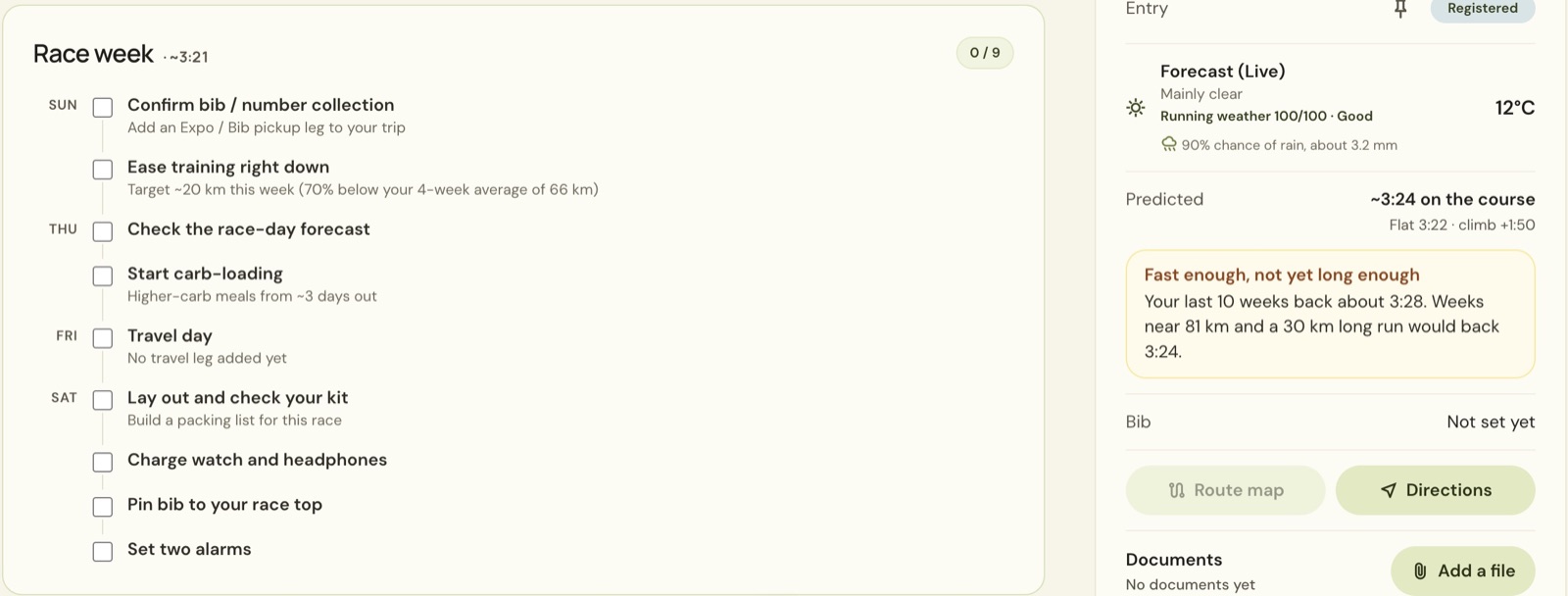
Some reminders point to details elsewhere in the race. Confirm bib / number collection asks for an expo or bib-pickup leg in the trip. Lay out and check your kit points you towards a packing list. Add those details as you make your arrangements.
Check the forecast
Read Forecast (Live) under Essentials. It shows the conditions, temperature, running-weather score and rain information for the race. Check the forecast again as race day gets closer, then tick Check the race-day forecast in the checklist.
Those numbers are for the example race only. Use your own race’s forecast to decide what to pack or wear.
Set the start time and morning timeline
The morning plan counts back from your wave or gun time. If the race shows Start time?, choose it and enter your time under Start line. Choose Save changes.
Open Trip and find Race morning on race day. The example uses a 10:00 start to show how the timeline works. Use the start time in your own race instructions.
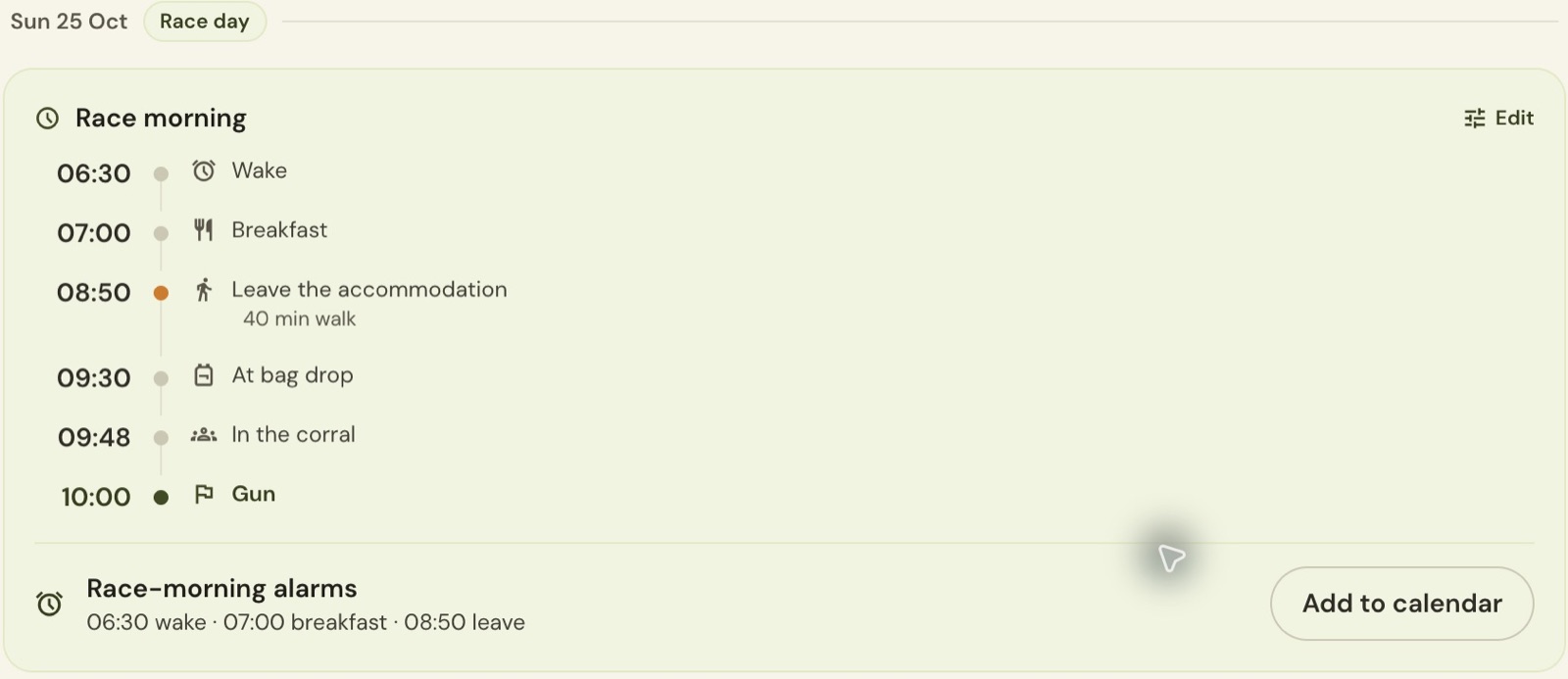
Choose Edit on Race morning to adjust breakfast, the journey to the start, bag drop and time in the corral. You can also allow time for a toilet queue or warm-up. The timeline’s steps can be renamed or hidden, and Add step lets you include another task.
Check the journey allowance against where you are staying. Use walk time from your hotel is available in the editor. Add to calendar sits beneath the morning alarms when you want those times in your calendar.
Build your pacing plan
Open Course → Plan pace. Choose an A, B or C goal, the predicted time, or enter Goal time yourself.
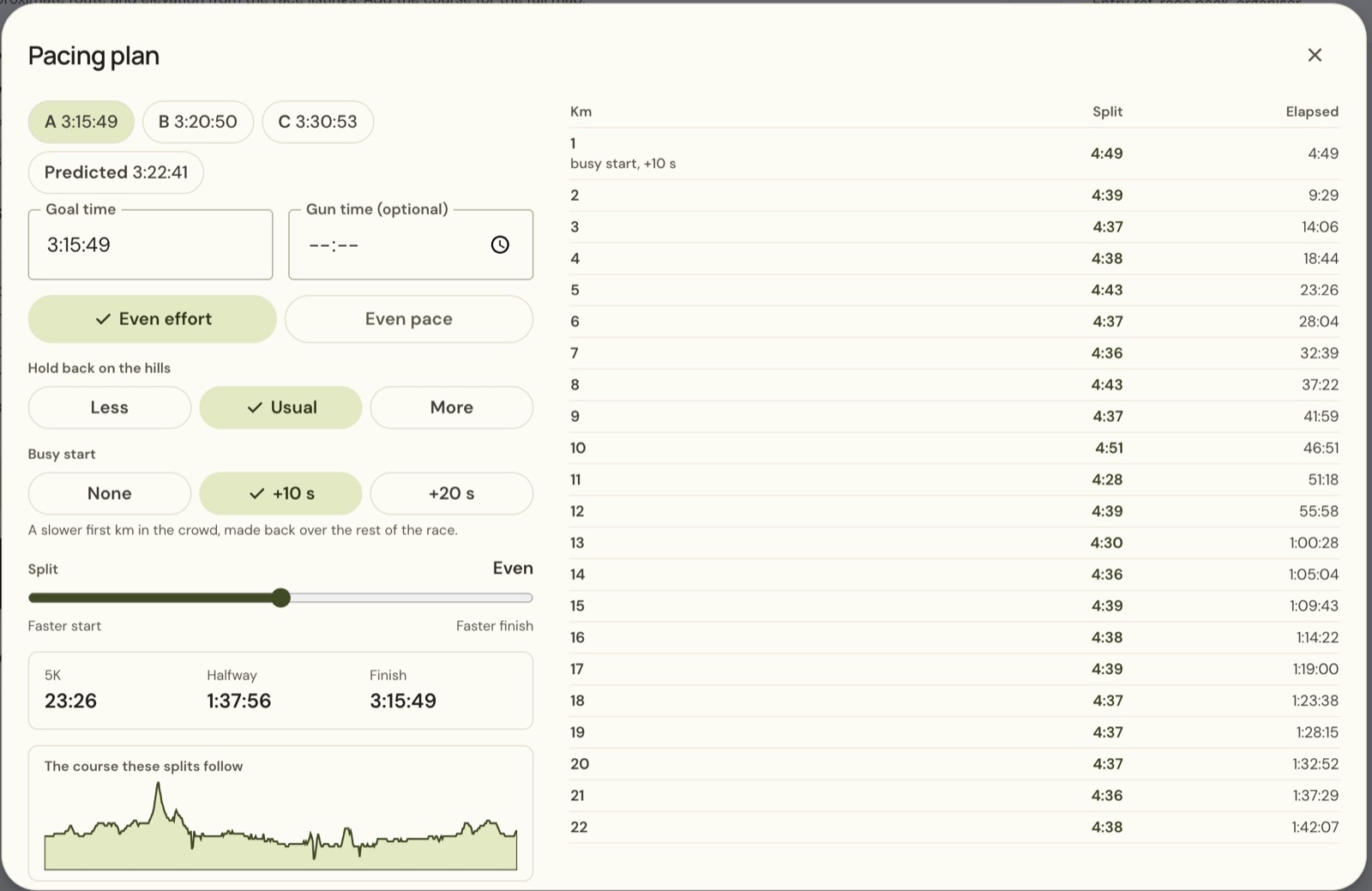
Choose Even effort or Even pace. The planner also offers Hold back on the hills, Busy start and a Split slider between a faster start and faster finish. Read the resulting splits before using Save as image.
Send to watch needs a connection. See Connect Strava, Oura or your watch.
Plan the fuel you will carry
Add your products in You → Races and trips → Fuelling products. Choose Add a product, enter its name and check the carbohydrate amount against its label.
Return to Course → Fuelling. Set Target, then use Suggest a plan to fill the schedule.
Use + something else for an item outside your saved products. Give it a name, enter its carbohydrate amount and set its trigger. The example adds a drink at 0:35 with 20 g; these are demonstration values, so enter the product and timing you intend to use.
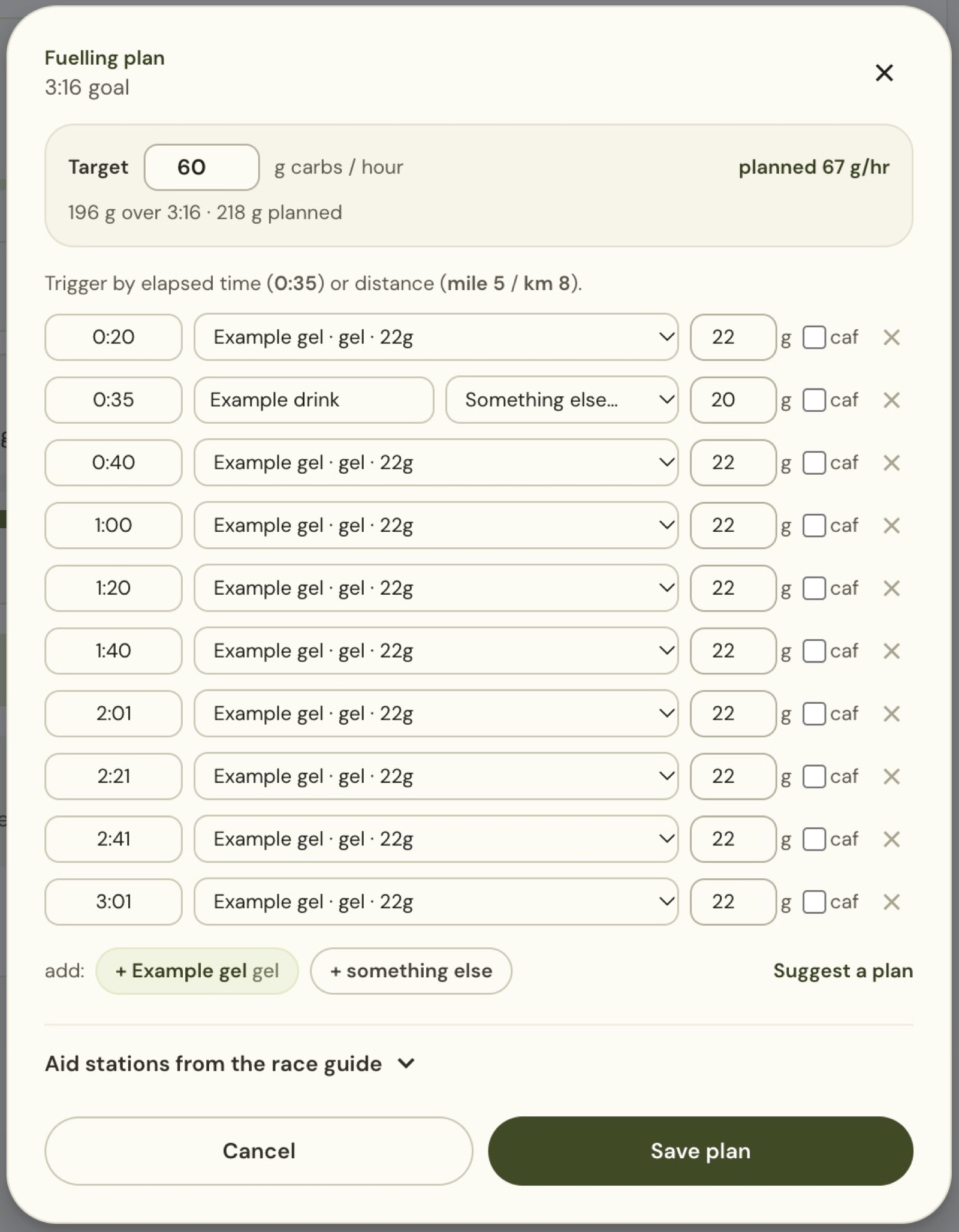
Each row can use elapsed time or distance for its trigger. Check the products, amounts and schedule against what you intend to carry. The totals show planned carbohydrate per hour and across the race. Choose Save plan when the schedule matches your plan.
Still stuck? Email contact@intherunning.app and say which page you were on.