Understand your race prediction
In the running shows what your current running fitness might support, then adds context for a particular race. Read each time with its endurance message and conditions, because no single number is a promised result.
Find the two kinds of prediction
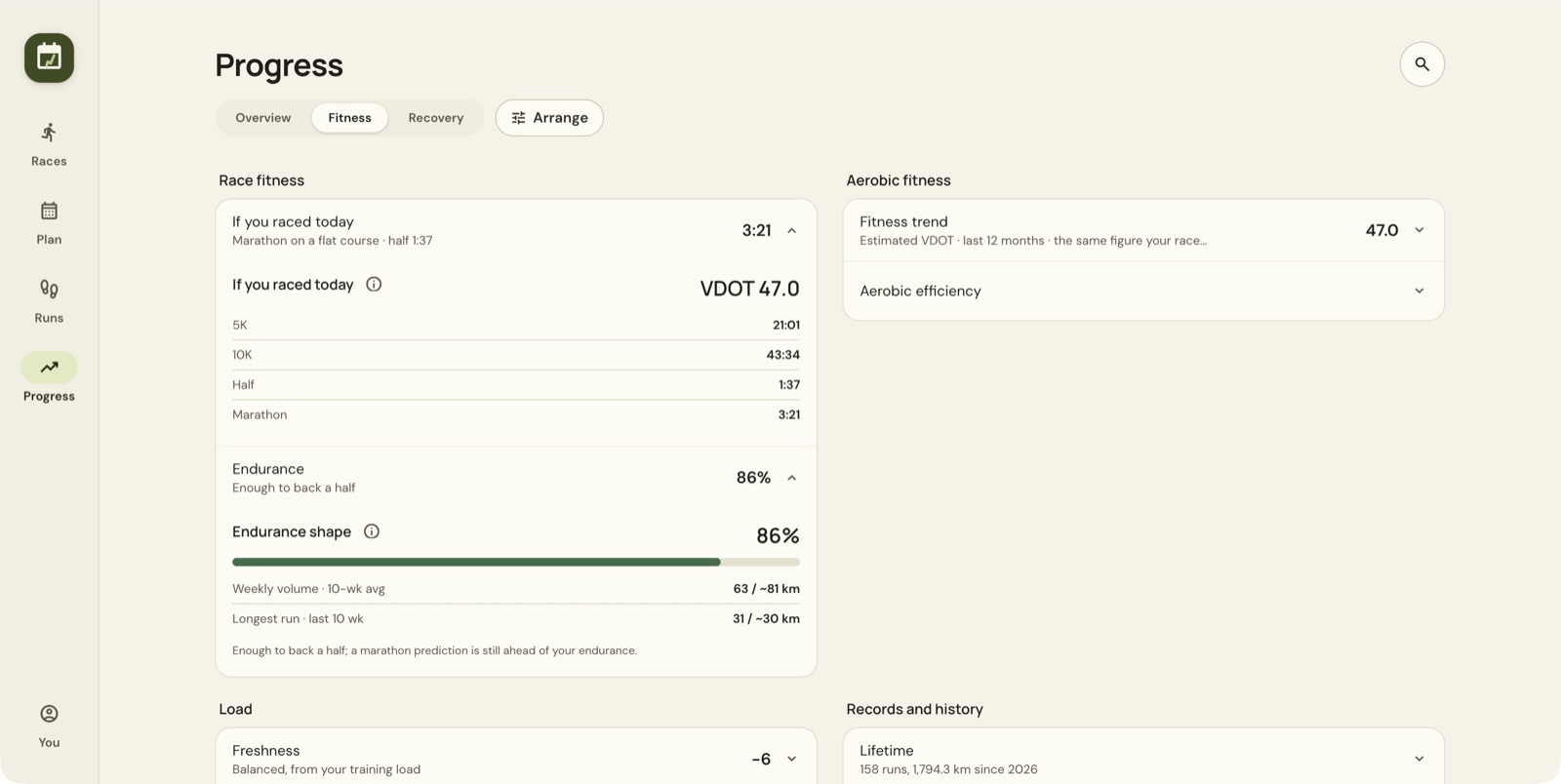
Open Progress → Fitness → If you raced today. This expands predictions for 5K, 10K, half marathon and marathon, and shows your estimated VDOT.
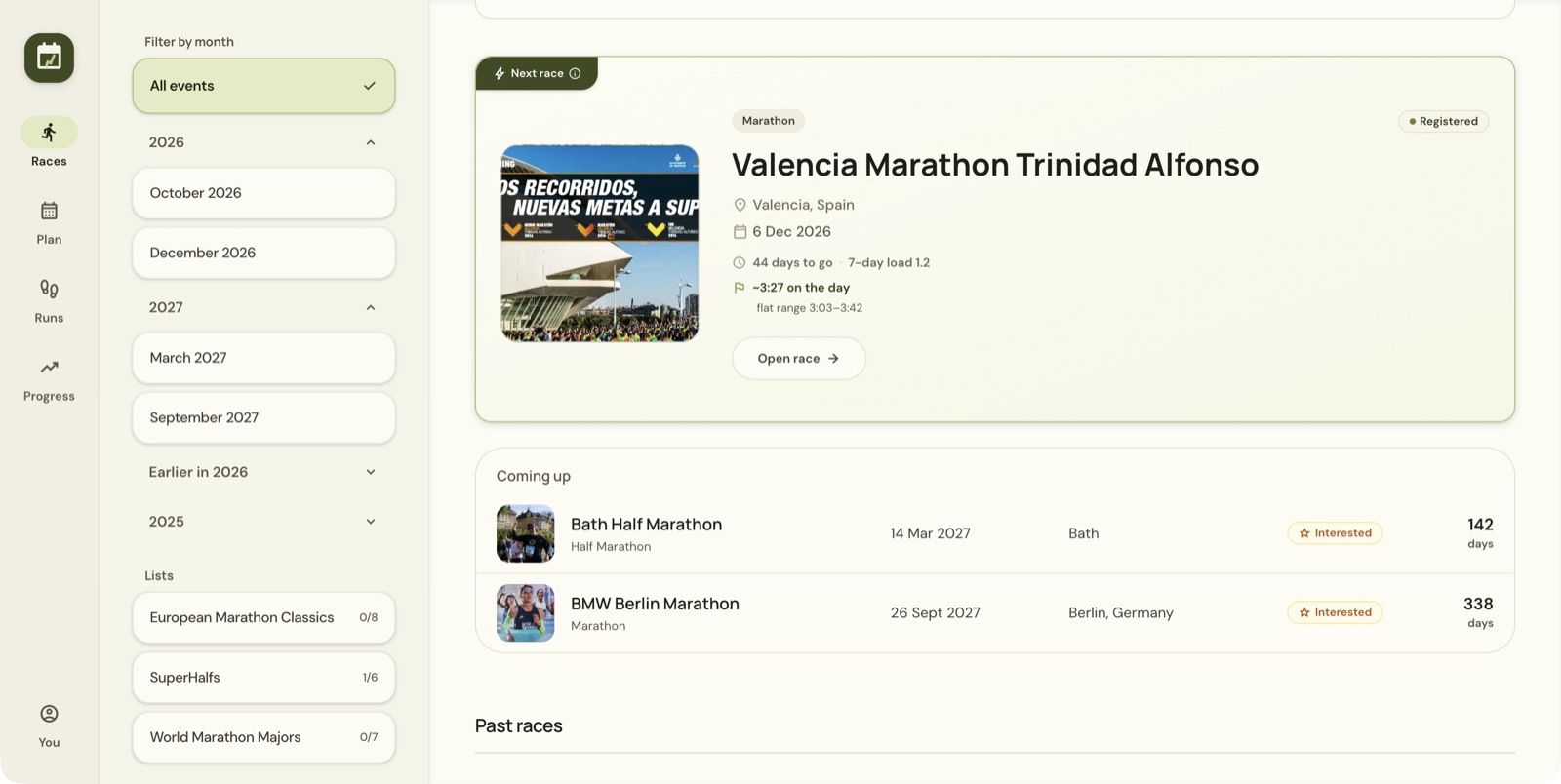
Open Races to see the next-race estimate. The race card includes an on-the-day time and a separately labelled flat range.
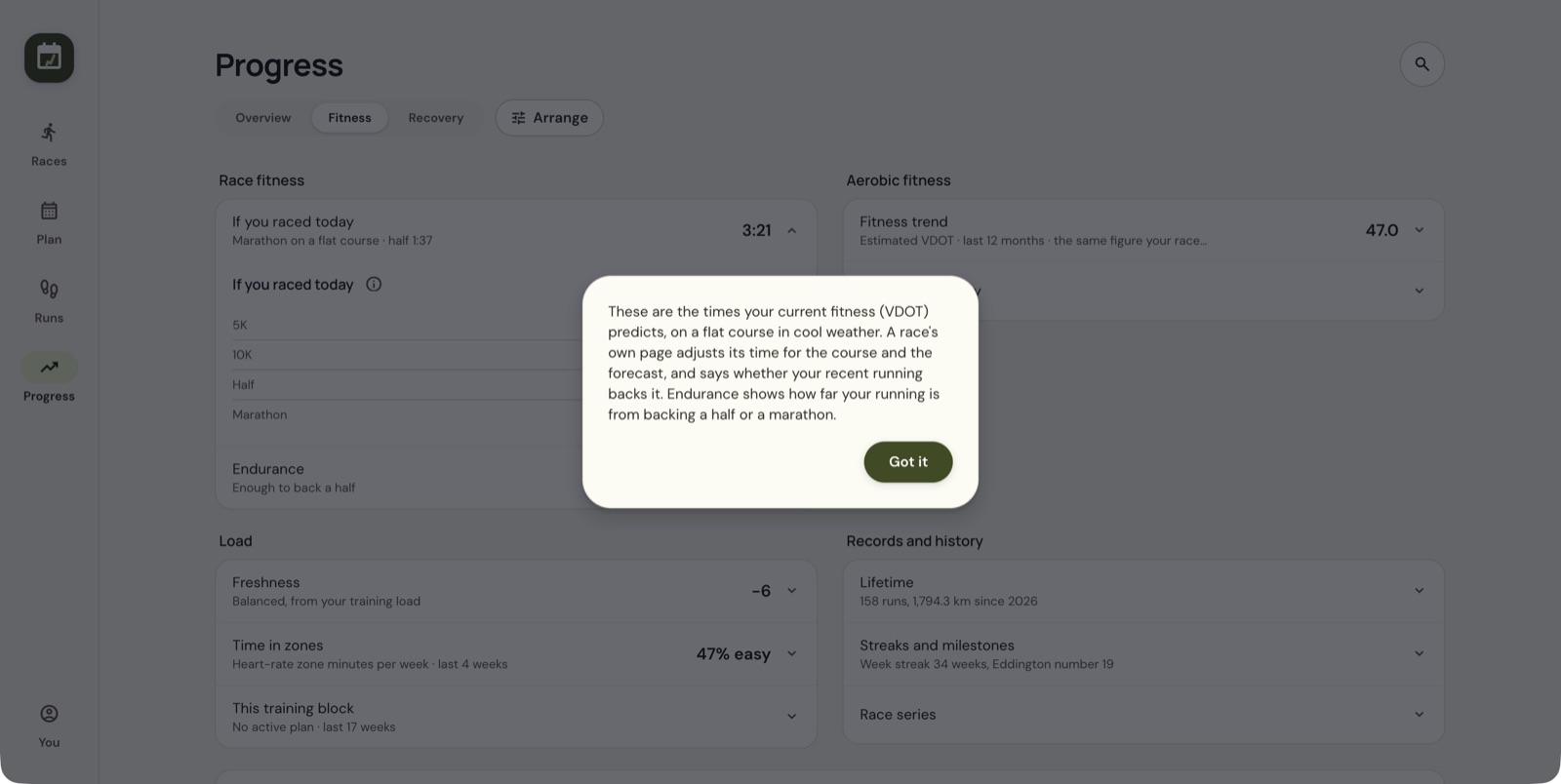
What VDOT means in the app
VDOT is the running-fitness estimate behind the predictions. The app's help says it combines evidence from races, hard training and heart rate, checked against actual race performances. A higher figure means faster predicted times.
Open Fitness trend → What is VDOT? for the explanation. Look at the direction of the trend as well as the latest number. You can show the trend as VDOT or as an equivalent time for a race distance.
Check whether your endurance backs the time
Expand Endurance in the Fitness view. It compares roughly ten weeks of running volume and your longest recent run with the model's benchmarks.
In the example, the weekly average is about 63 km against a benchmark near 81 km, while the longest run is about 31 km against 30 km. The result is 86%, enough to support the half-marathon estimate. The marathon estimate stays ahead of the endurance evidence.
The app's help describes 100% as the point where a marathon prediction counts in full, with lower thresholds for shorter distances. These percentages come from the app's model and are not a training schedule.
Read the race-specific context
Open the race and read Essentials. The app says the race page adjusts for the course and forecast and explains whether recent running supports the estimate.
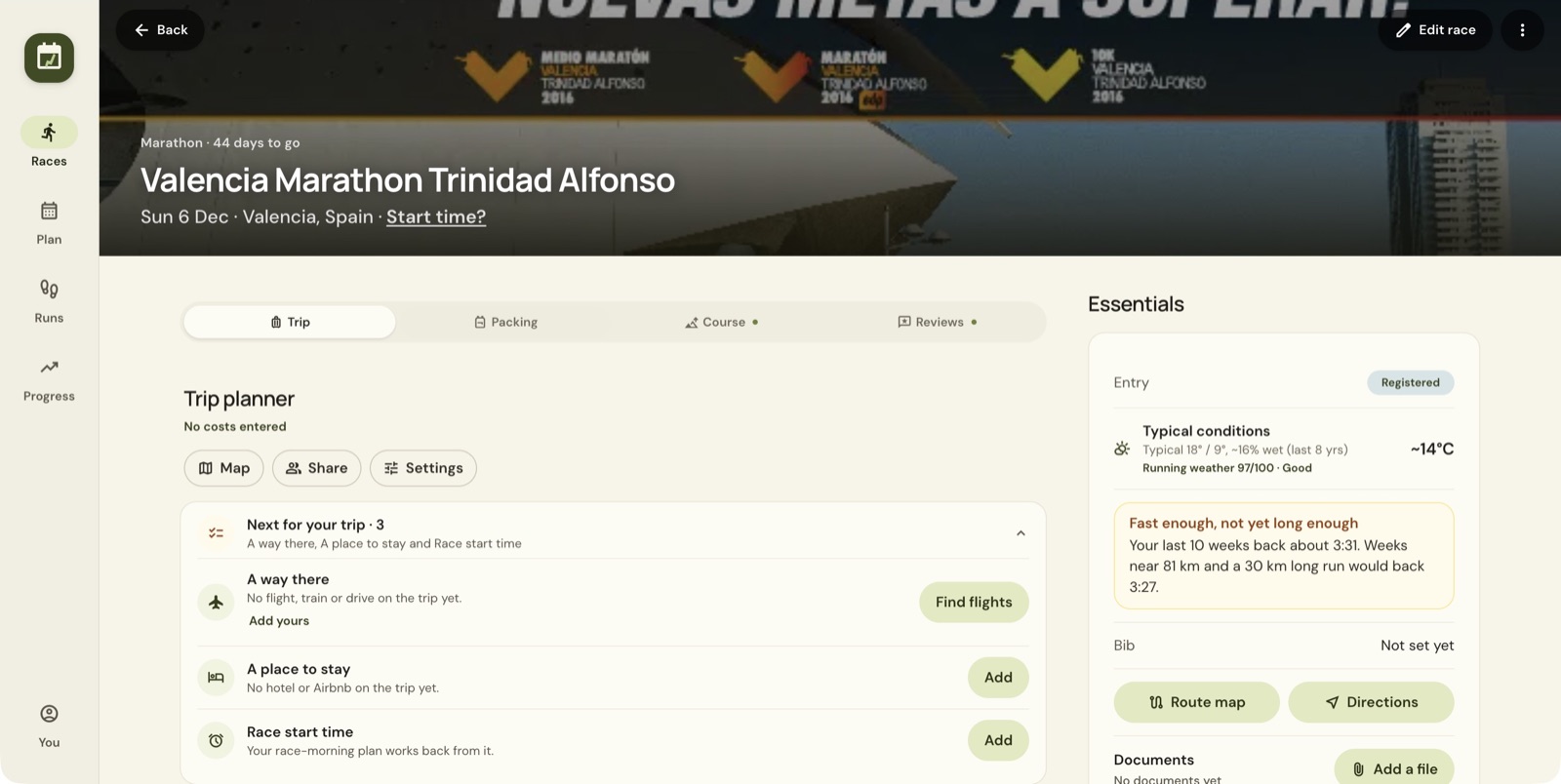
Here, the message says recent training supports around 3:31, while weeks near 81 km and a 30 km long run would support 3:27. That is the model's explanation. It does not tell you to raise your mileage now. Typical conditions are not a forecast for your race date.
Set your own A, B and C goals
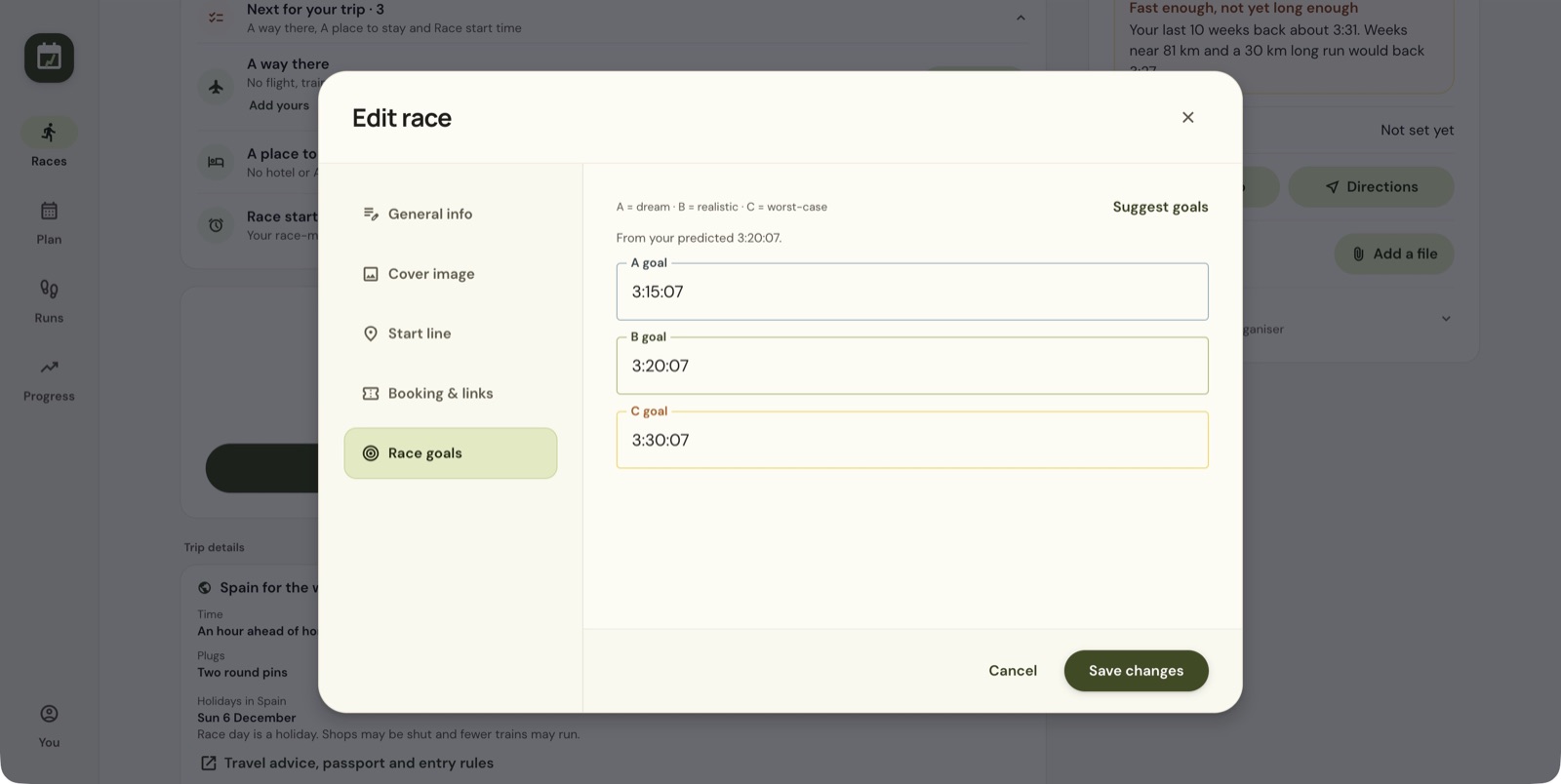
The form labels A as dream, B as realistic and C as worst-case.
- Choose Set race goals, or Edit race → Race goals.
- Choose Suggest goals to fill the fields.
- Review and adjust the goals.
- Choose Save changes.
When a prediction looks surprising
Check that your relevant runs and races are present and review the endurance card. If heart-rate estimates look wrong, check your maximum heart rate under You → Profile. If a recording is faulty, look at Count towards my fitness in the run's Settings for this run.
Different labels answer different questions, so flat-course fitness, race-day conditions, endurance support and your chosen goal can give different times.
Still stuck? Email contact@intherunning.app and say which page you were on.