Plan the trip to a race
Bring your travel, stay and bib collection together on the race’s Trip tab. Compare the options first, then keep the arrangements you choose beside the race so you can see how the weekend fits together.
Compare flights and whole weekends
- Open your race from Races.
- Choose Trip.
- Expand Next for your trip.
- Choose Find flights.
Next for your trip shows until you add travel.
The example uses Valencia Marathon on Sunday 6 December 2026, with Bristol saved as home. Check the airports and dates in the travel search against where you want to leave from and when you need to arrive.
Weekends brings flights and a stay together. Its Cheapest and Quickest cards show the price, departure and return times, number of nights, and how long after the predicted finish you would be home.
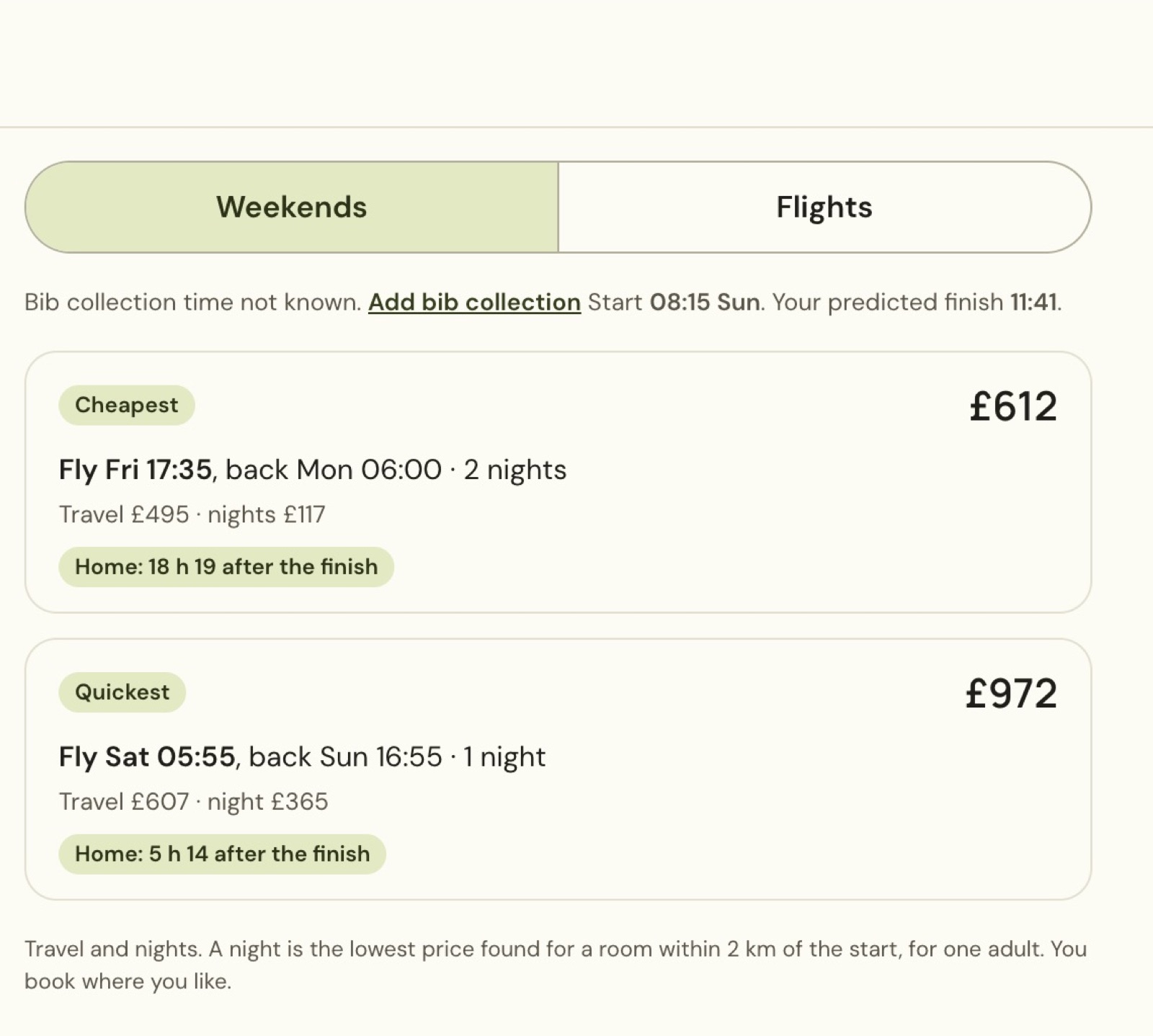
A stay is a price suggestion for a room near the start, for one adult. You still choose and book your accommodation. Expand a weekend to read the outbound, nights and return before selecting it.
Compare flight fares by date and price
Choose Flights to compare individual return fares. Read the outbound and return dates, airports, journey duration and stops. An arrival marked (+1) is on the following day, which matters when the race is on Sunday.
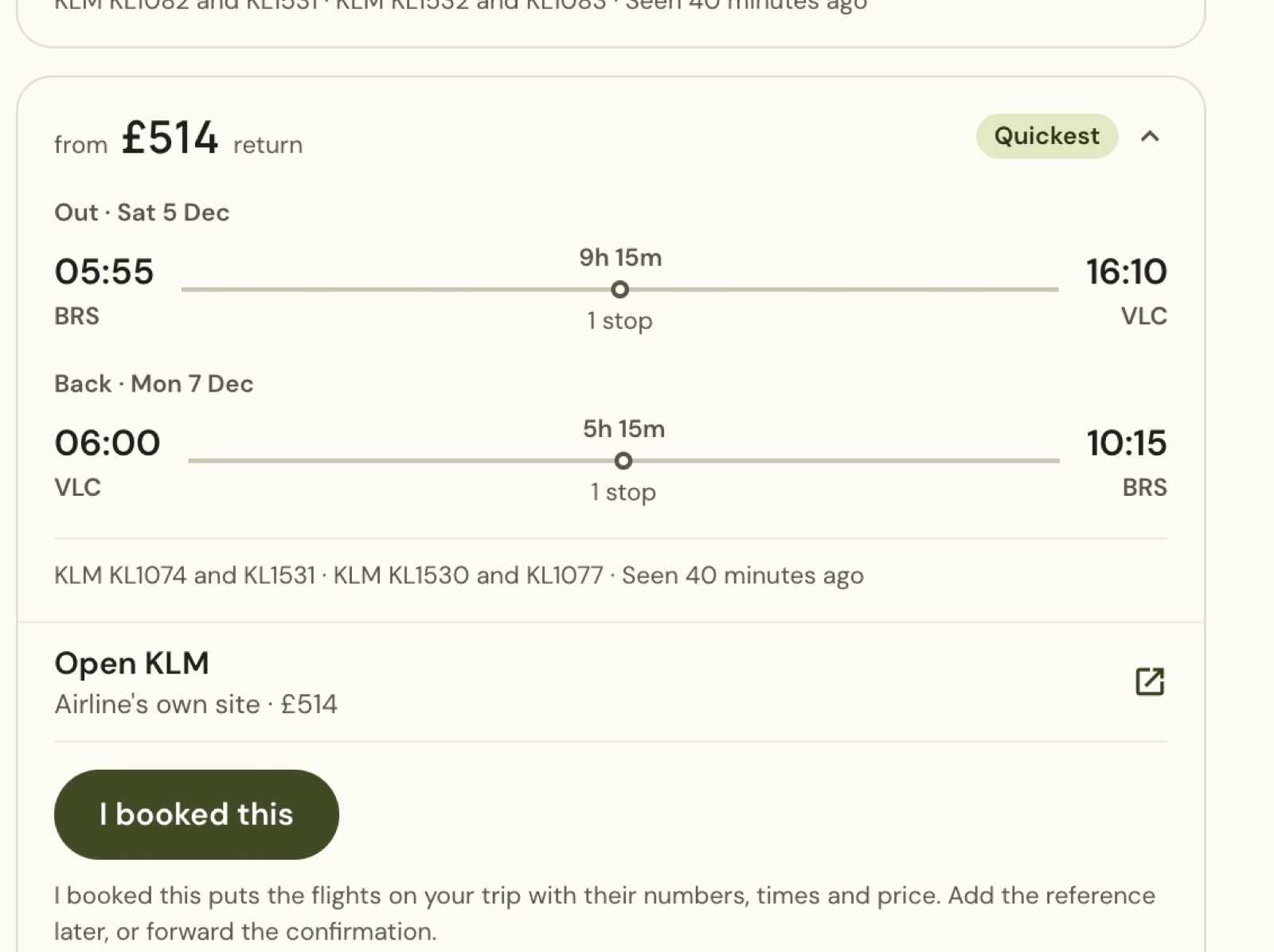
The example fare is a different return-date option from the one-night weekend. Prices and availability belong to the displayed search and can change. Open KLM opens the airline’s site; I booked this records the flights on your trip after you have booked them. Adding details to your trip does not buy a ticket.
Put a weekend on your trip
- In Weekends, expand the option you want.
- Choose Choose this weekend.
- Read the confirmation.
- Choose Add to trip.
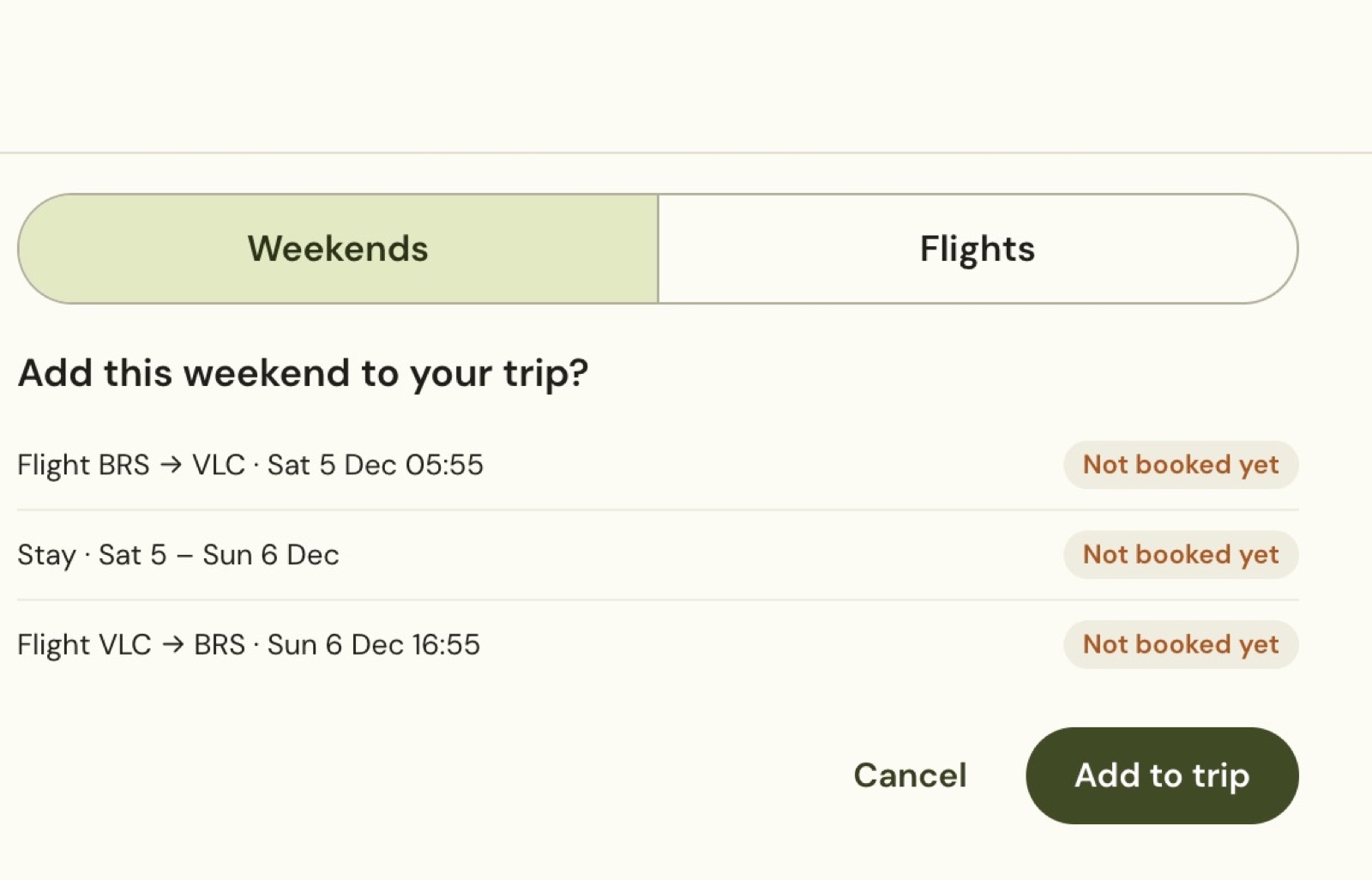
The legs appear in date order in Trip. Open a leg to review its details, and use Edit leg when you need to update the arrangement. Treat Not booked yet as a reminder to make the actual bookings.
Add bib collection to your trip
- Choose Add leg → Expo and bib.
- Enter the venue and collection day.
- Enter the opening and closing hours.
- Enter your planned pickup time.
Full opening hours (optional) can hold the organiser’s complete schedule and a source to check later.
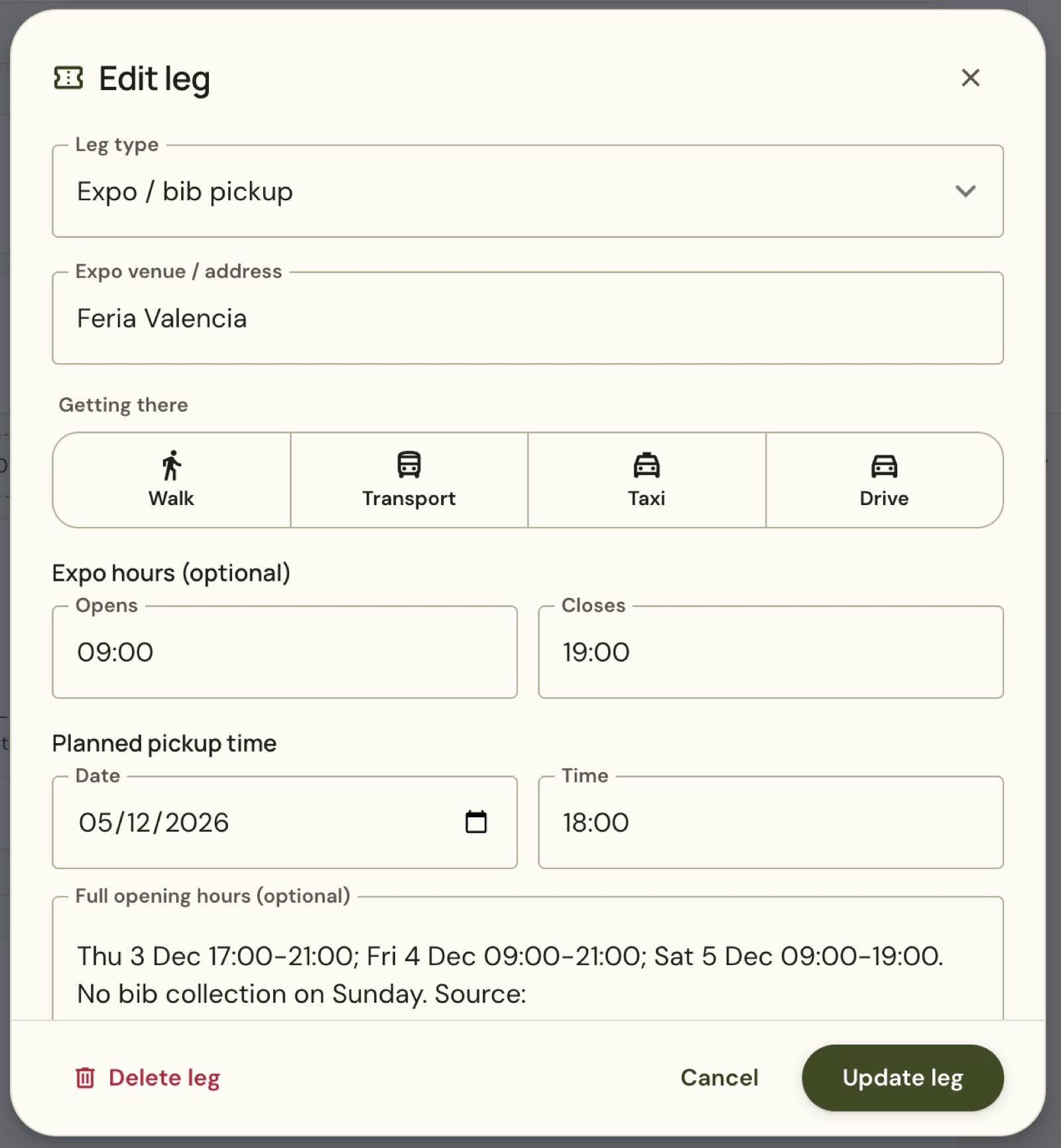
For Valencia 2026, Saturday collection closes at 19:00 and there is no Sunday collection. A Saturday 16:10 landing leaves only 2 hours 50 minutes for airport exit, transfer and queues. The example’s 18:00 pickup is an illustration, so don’t treat it as a comfortable plan. Check the organiser’s expo hours before choosing your flights, and allow room for delays.
Plan the way back after finishing
Find Getting back on race day. Use Edit destination to set where you are staying. A city name is not your hotel address.
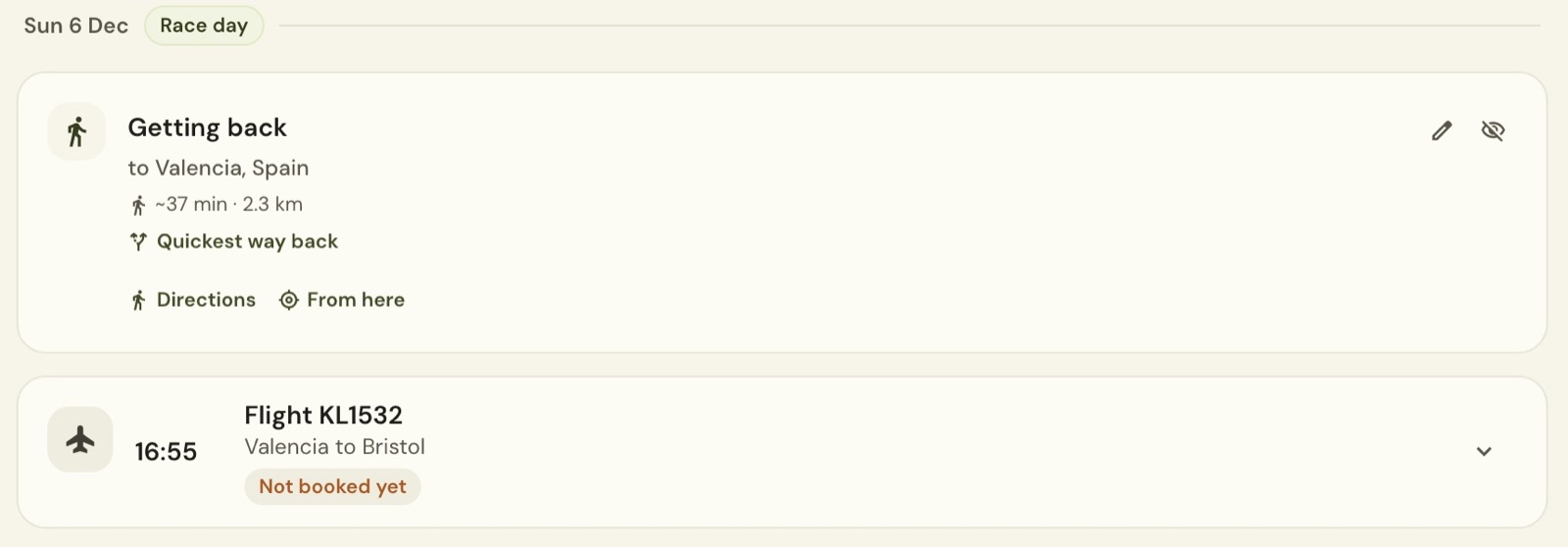
Quickest way back helps compare the journey, while Directions opens directions to the chosen destination. From here uses your current starting point. Check the destination and leave enough time to collect bags and reach your return departure.
Still stuck? Email contact@intherunning.app and say which page you were on.