Build a workout, save it and send it to your watch
Open Plan → Build a workout to create a structured session. The current Plan screen says running plans are coming soon, while the workout builder, saved workouts and send/schedule controls are available.
Start from a session and review its blocks
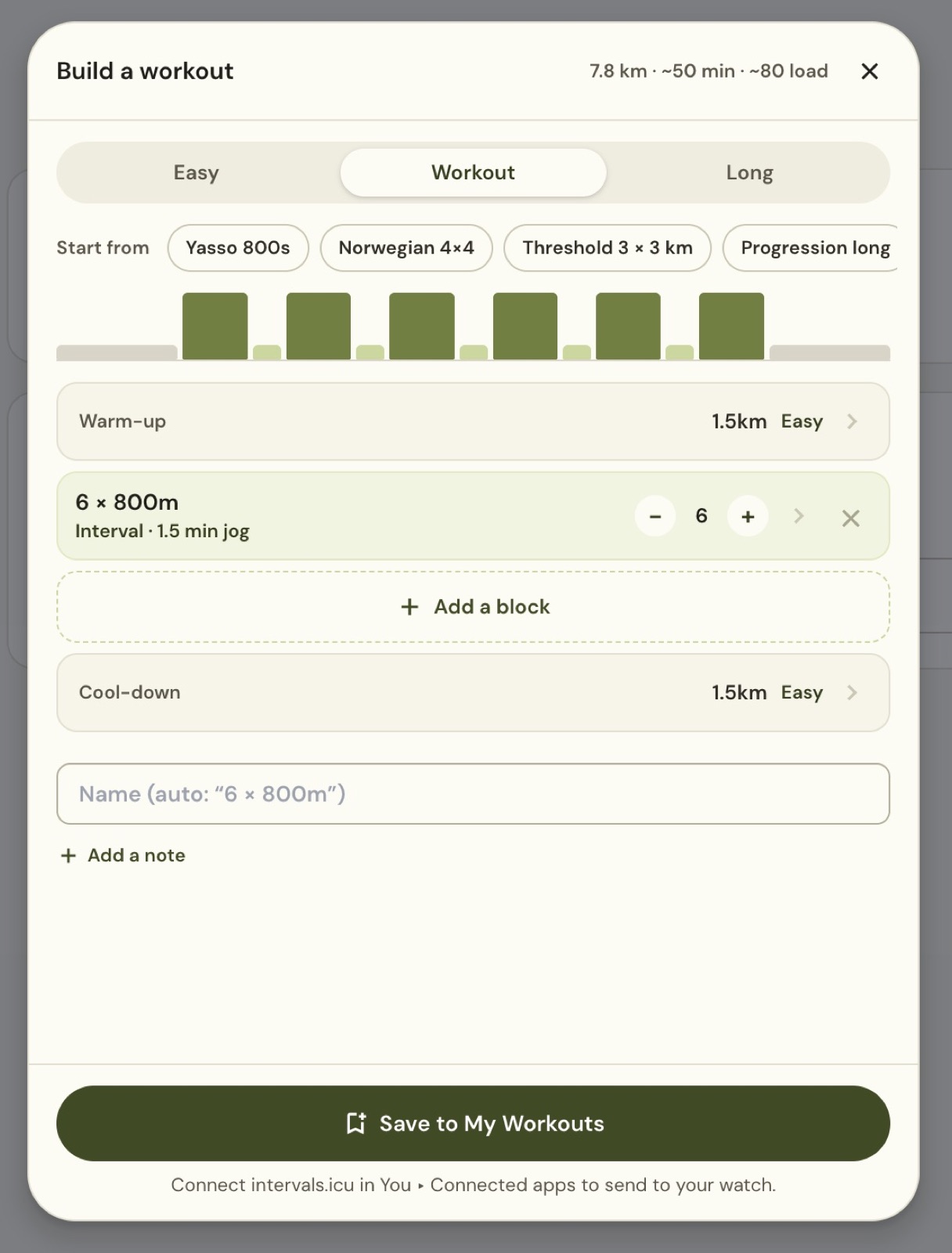
Choose Easy, Workout or Long. Starting options include Yasso 800s, Norwegian 4×4, Threshold 3 × 3 km, Progression long and 30/30s. A past run is another starting point.
The example has a 1.5 km warm-up, six 800 m intervals with 1.5-minute jog recoveries, and a 1.5 km cool-down. The summary estimates distance, duration and load. They change as you edit the session.
Edit repetitions and recovery
Choose Edit block, or select a block, to open its controls.
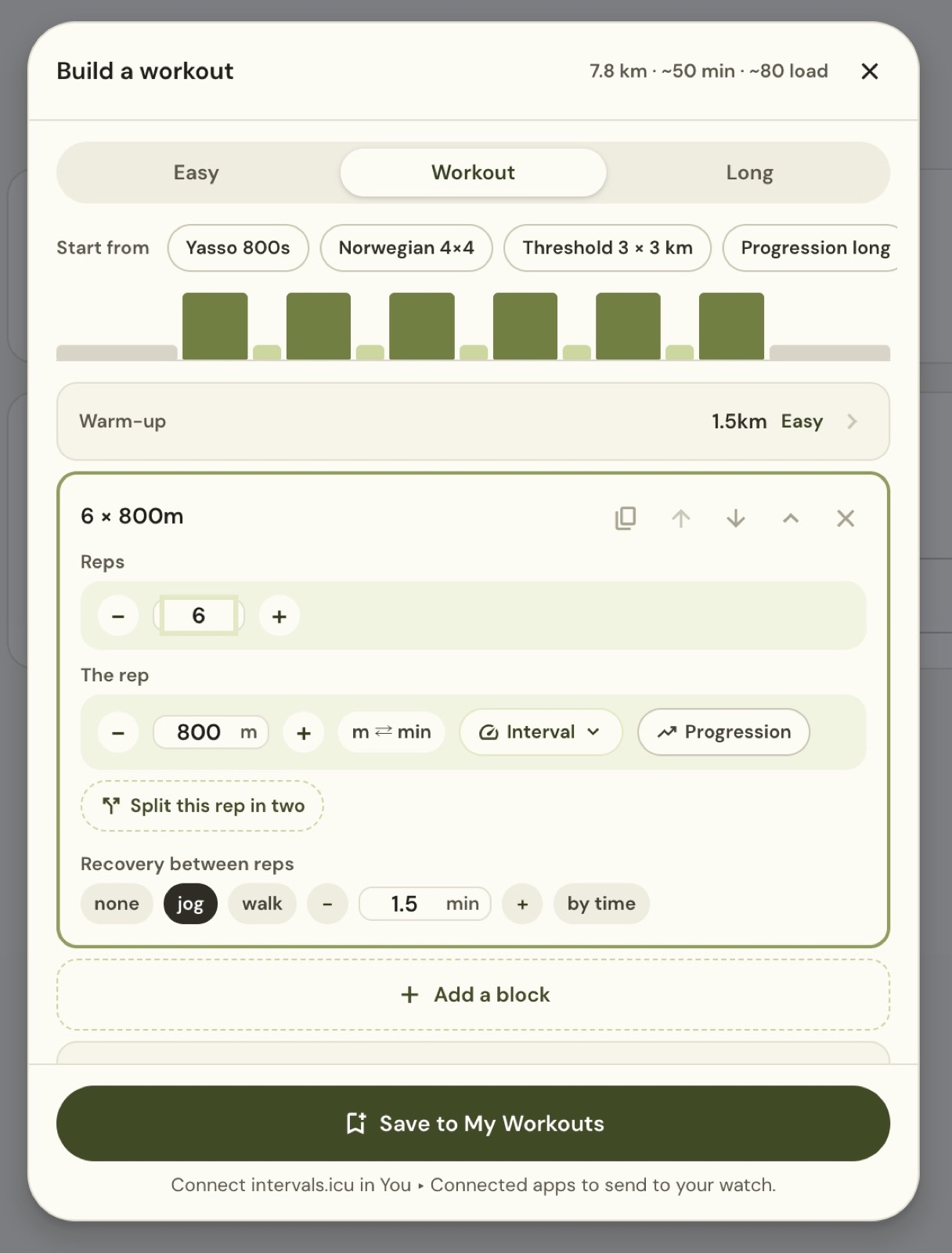
Set the number of reps and interval length. m ⇄ min switches the rep between distance and time. Choose the target, and configure recovery as none, jog or walk, with its length and time/distance control.
The editor can also duplicate, move and remove blocks, add another block, set progression and split a rep. Review the warm-up and cool-down as well as the main work.
Set an explicit target when needed
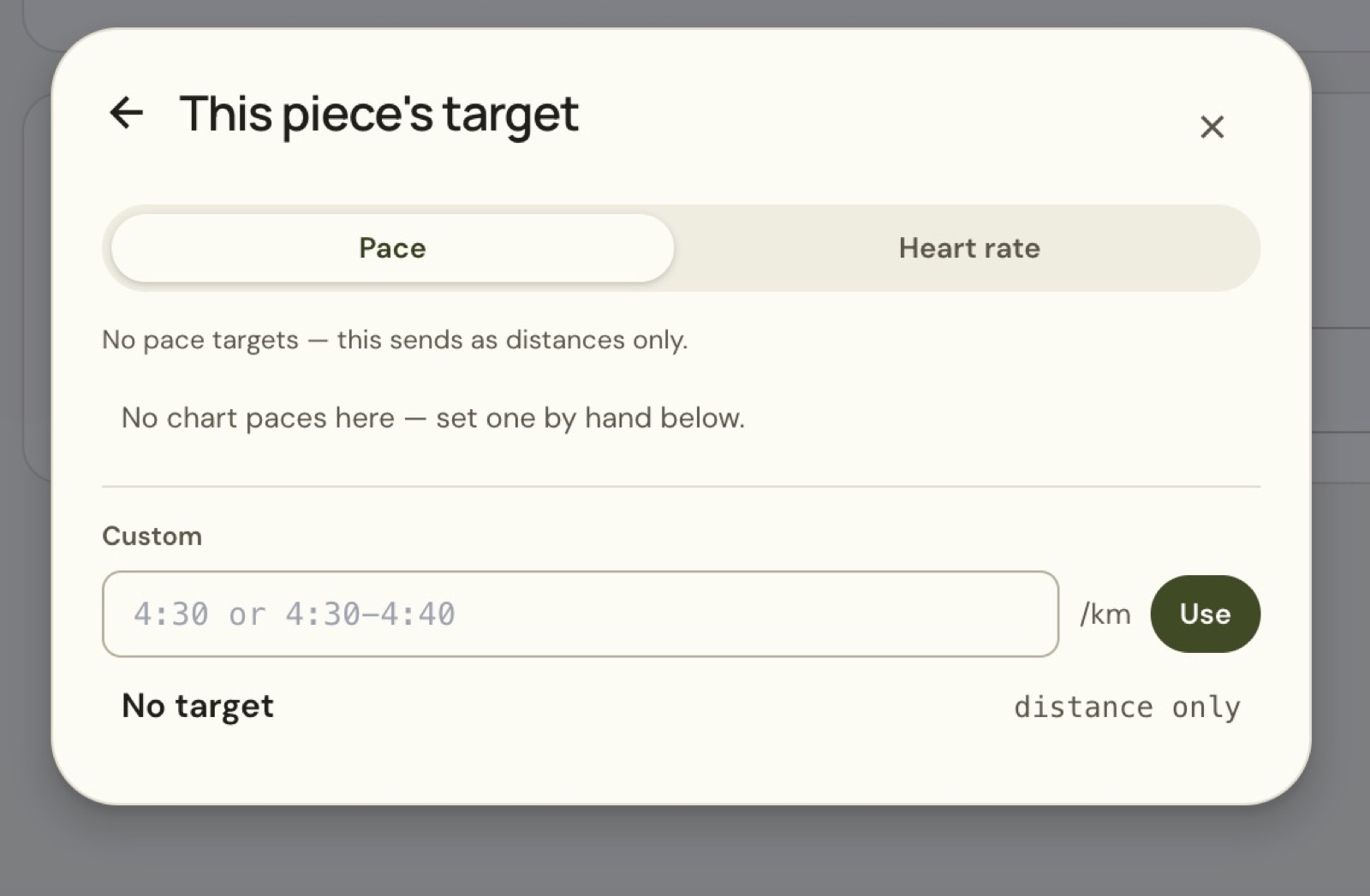
Select Pace or Heart rate, or use No target for a distance-only piece. The custom pace field accepts an individual pace or a range, such as 4:30 to 4:40 per km. Choose Use to apply it.
In the example, the selector warns that no pace target is set and the session would send as distances only. Check this message before sending. A named interval block does not mean the watch has a pace target.
Save and reuse the workout
- Enter a clear name.
- Add a note if you want one.
- Choose Save to My Workouts.
- Open the saved entry from Plan to review it.
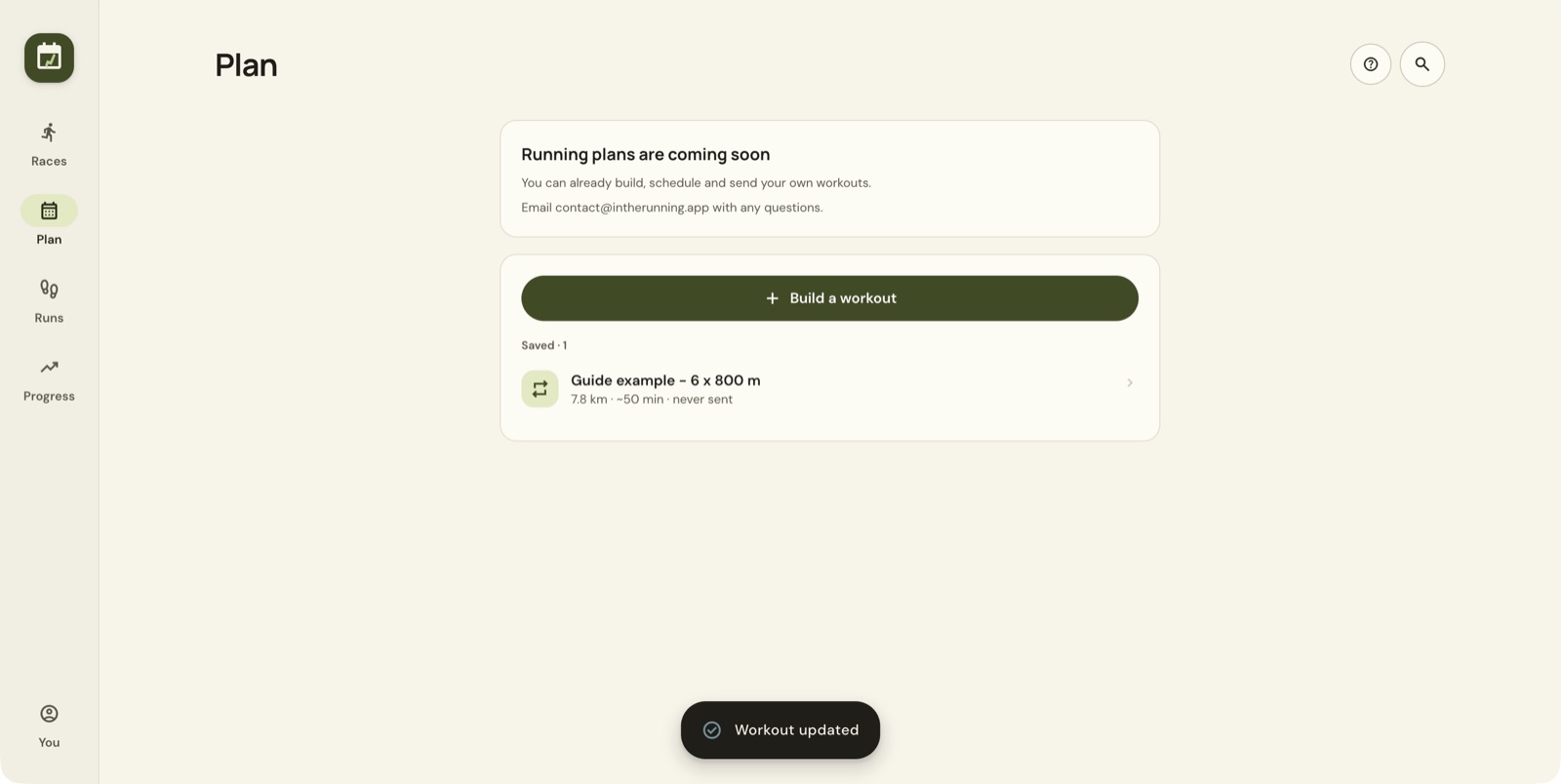
The example saved for this guide is named Guide example - 6 x 800 m. It has never been sent to a watch.
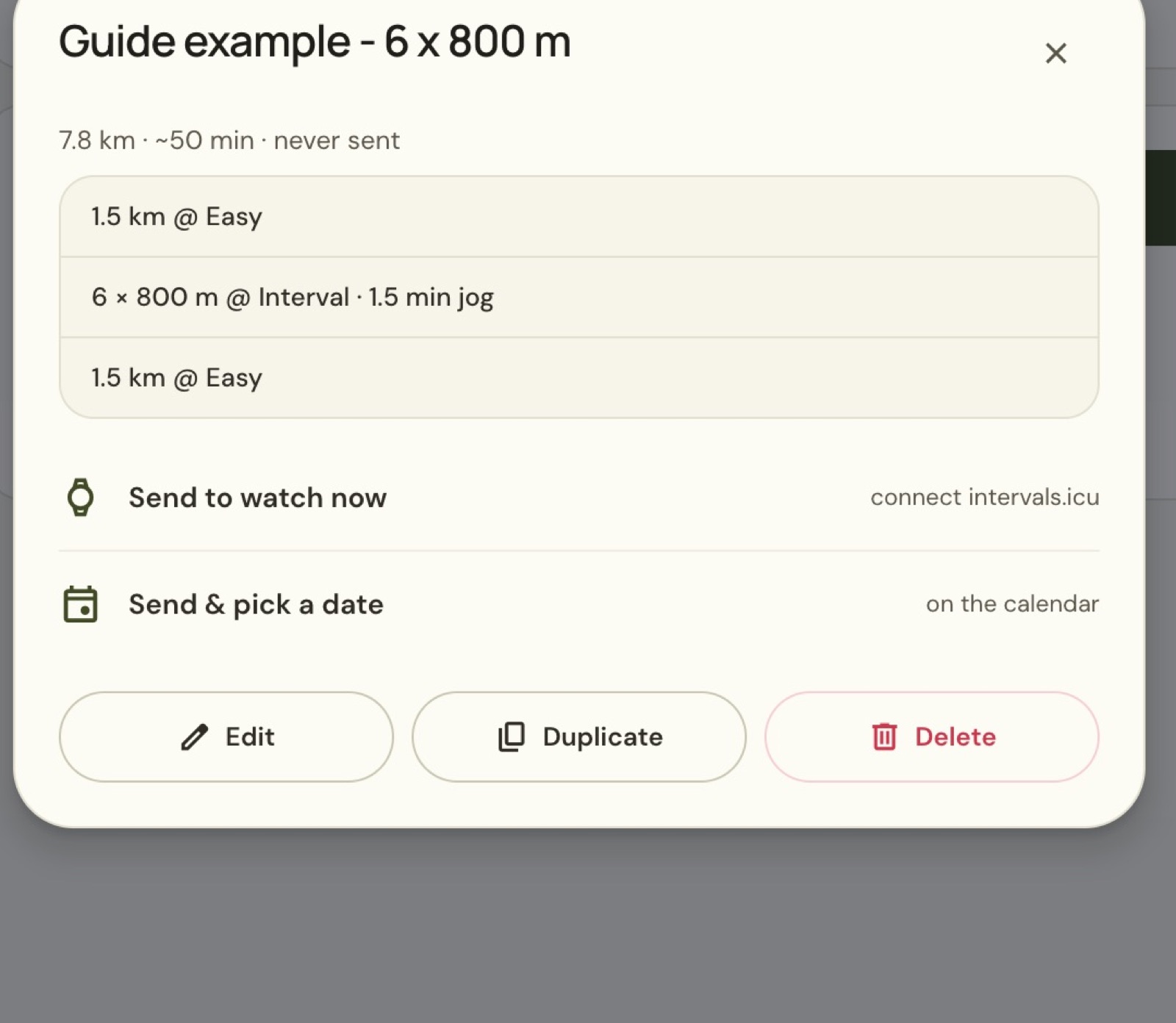
Use Edit to change it or Duplicate to make a variation. Before sending, check the summary for the repetitions, recoveries and targets you want.
Connect your watch through intervals.icu
Open You → Connected apps → intervals.icu.
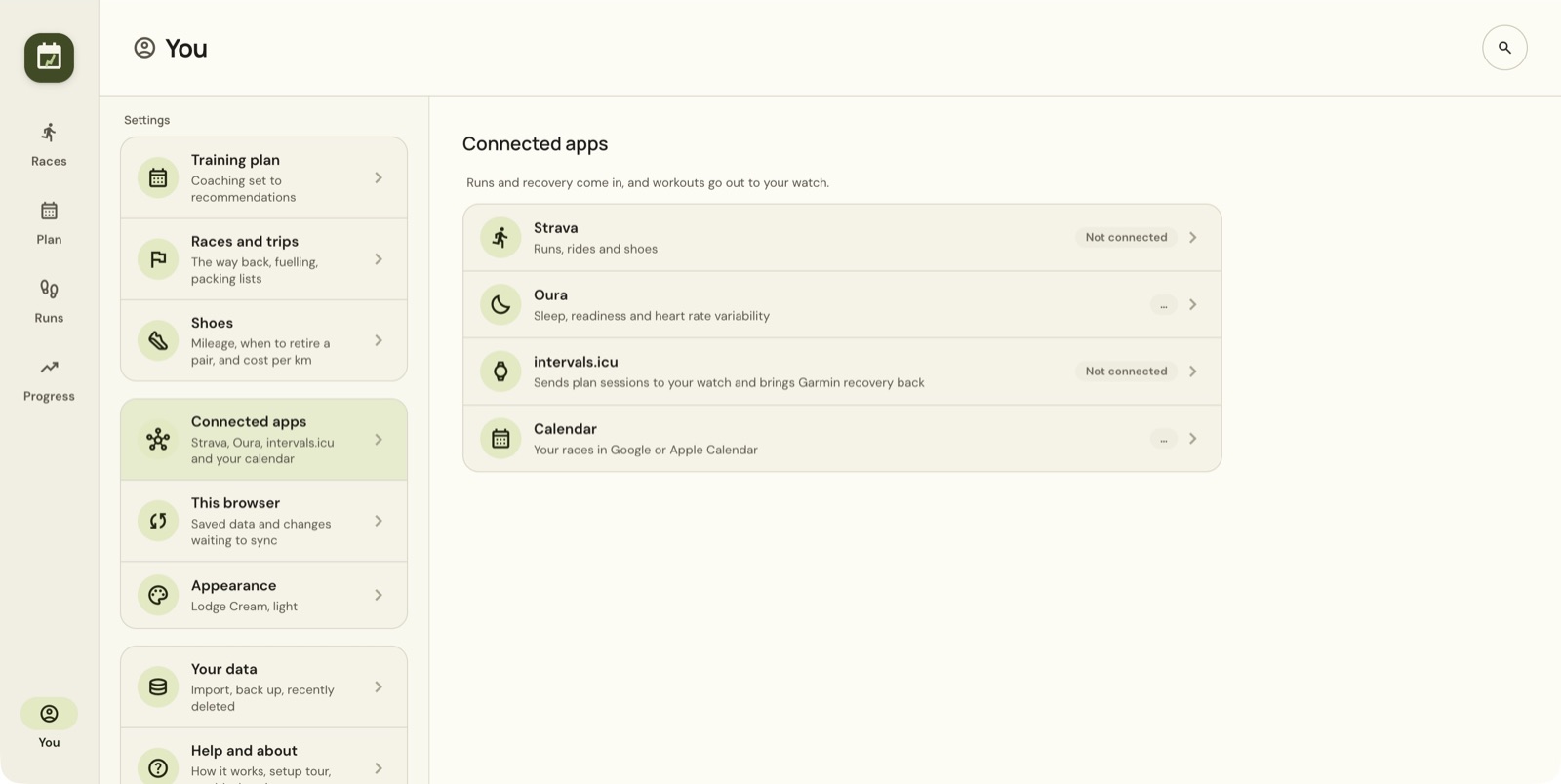
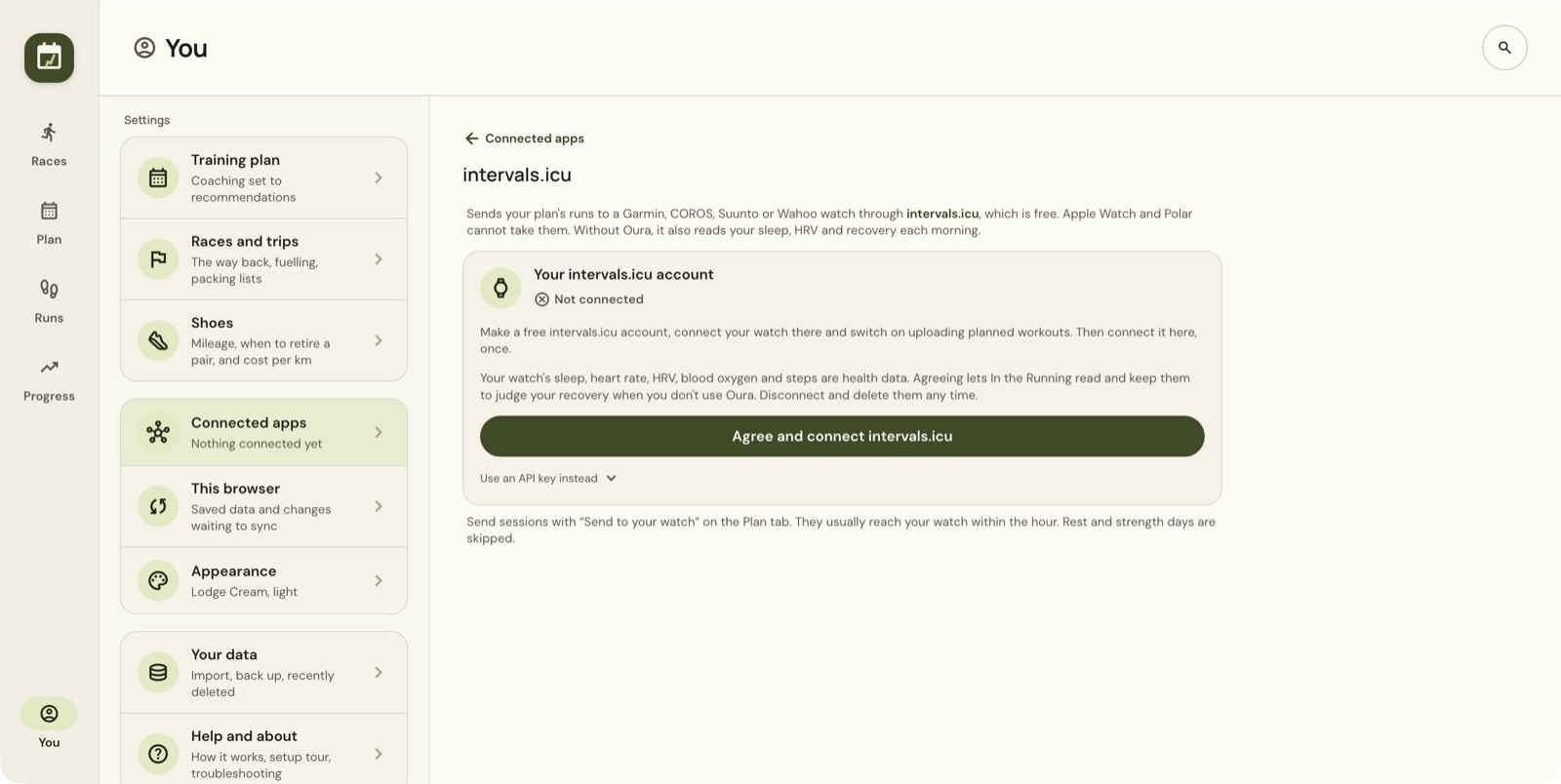
The app tells you to create an intervals.icu account, connect your watch there, turn on uploading of planned workouts and then connect the account to In the running. Review the health-data consent on the connection screen before choosing Agree and connect intervals.icu.
The app currently lists Garmin, COROS, Suunto and Wahoo for workout delivery, and says Apple Watch and Polar cannot receive these sessions through this route. Check the connection screen for your device.
Send now or choose a calendar date
From the saved workout choose Send to watch now, or Send & pick a date on the calendar.
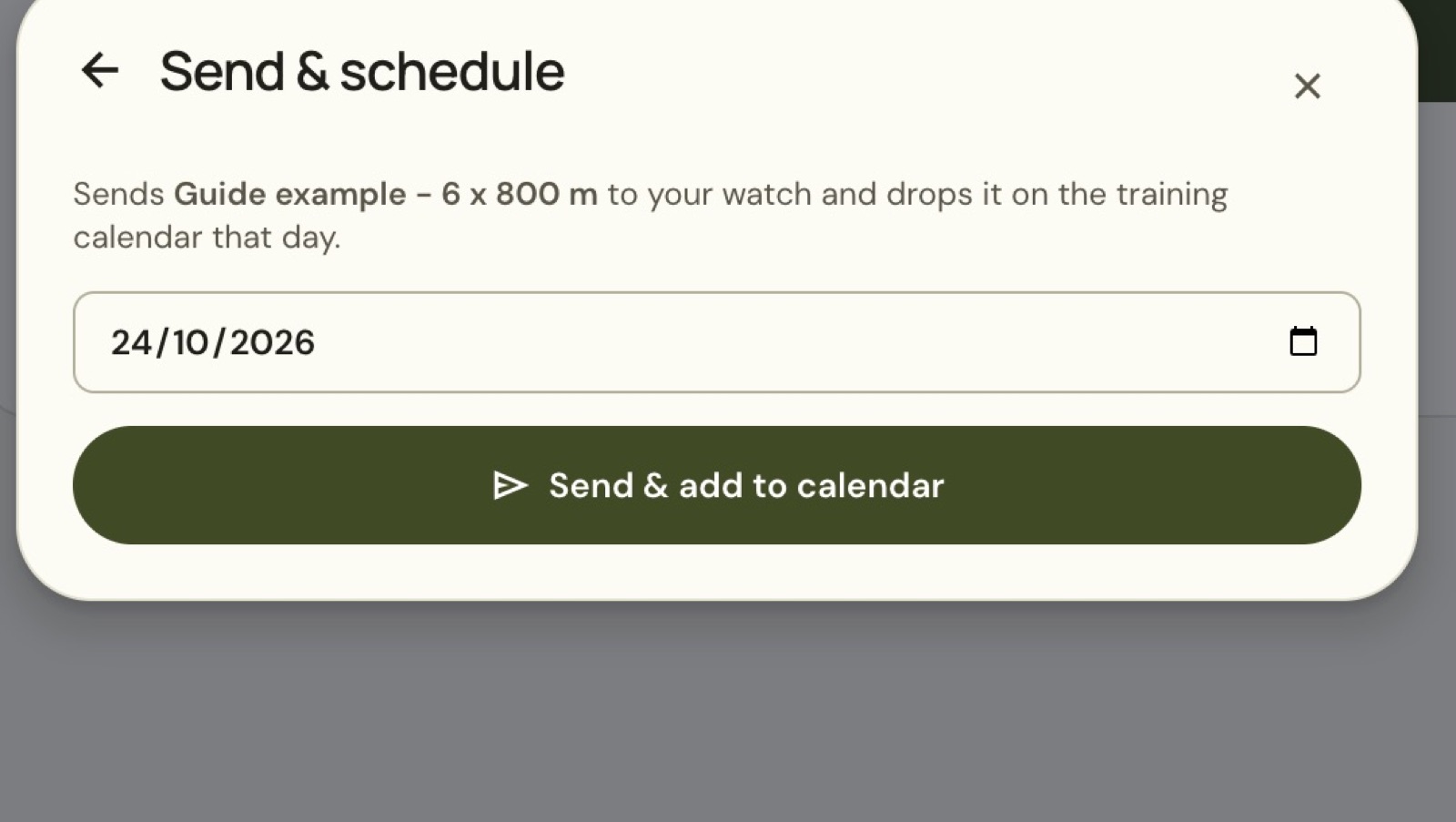
For a scheduled session, choose the intended date and then Send & add to calendar. This action is described as sending to the watch and adding the workout to that day's training calendar. Saving the workout in the app does not mean it has reached the watch.
The setup page says sessions usually reach the watch within an hour. If one is missing, check the connection, planned-workout uploading in intervals.icu, the selected date and the watch's sync state.
Still stuck? Email contact@intherunning.app and say which page you were on.