Build and reuse a packing list
Keep the things you need beside the race, then tick them off as you pack. Save a useful list as a template so your next race can start with the same kit.
Add items to your race
- Open the race from Races.
- Choose Packing.
- Type an item into Add item.
- Choose Add.
The example starts with Valencia Marathon and an empty list. Give the item a name you will recognise while packing, such as Spare socks. Add each thing you want to remember as a separate item.
The app also offers suggestions for the race. In the example these include Energy gels for a marathon and Watch charged under race kit. Choose a suggestion to add it to your list.
Tick things off as you pack
Tick the box beside an item when it is packed. The progress count changes as you work through the list.
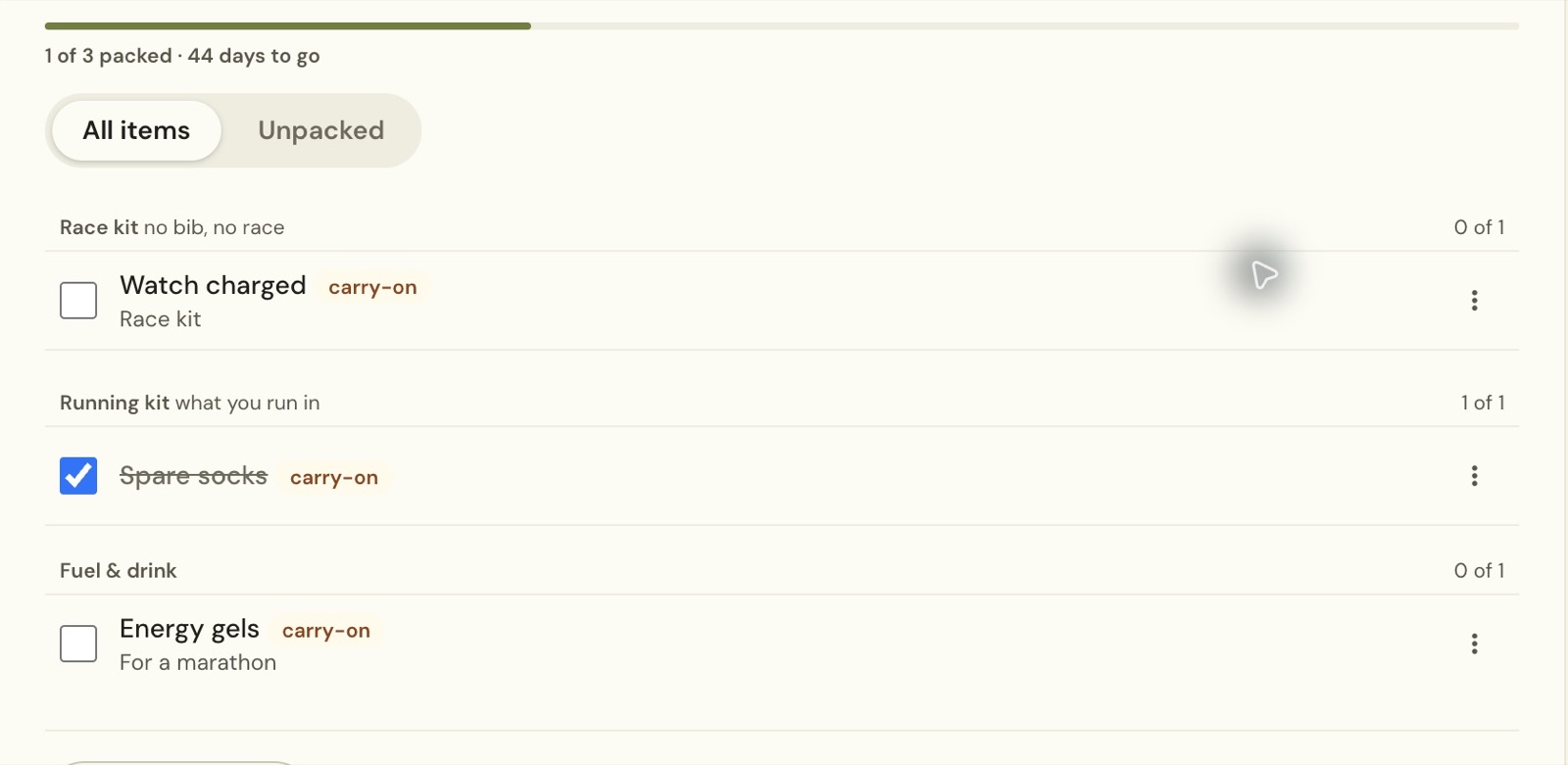
Use All items to see the whole list. Choose Unpacked when you want to focus on what remains.
The list groups the example’s items under Race kit, Running kit and Fuel & drink. The progress count at the top covers the whole list, while each group has its own count.
Save your own template
- Choose Templates at the foot of the list.
- Choose Save this list as a template.
- Enter a name in Your answer.
- Choose Save.
If you have not saved a template before, the panel explains that you can save the current list to reuse it. The example calls its template Race weekend kit.
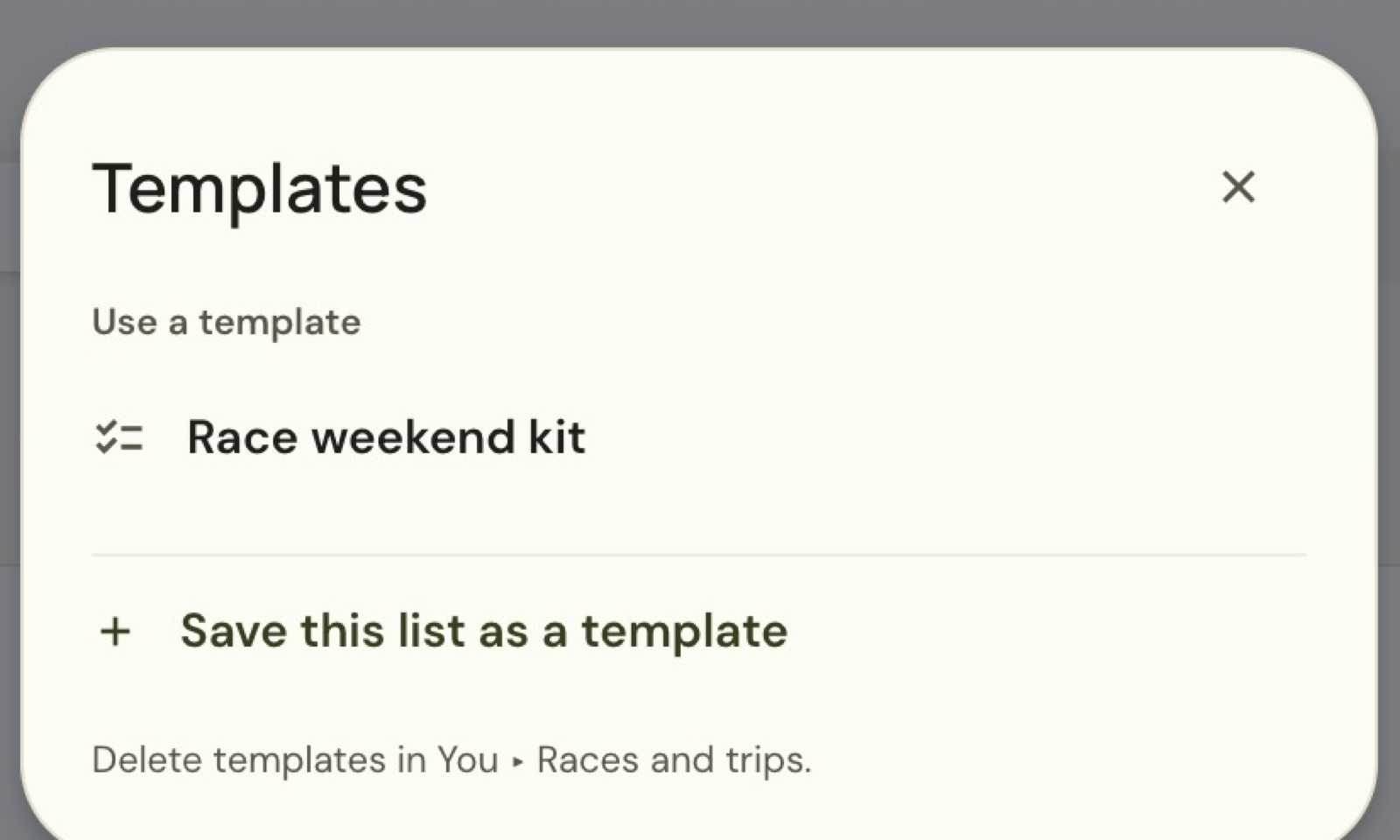
Build the list before saving the template, so it contains the things you want to reuse. A clear name helps you choose the right list when you have saved more than one.
Use the template for another race
Open another race and choose Packing → Templates. Under Use a template, select the name of your saved list.
The app asks whether to replace the current packing list with the template. Read that question before choosing Replace. The example uses Brighton Marathon’s empty list, so there are no existing items to keep.
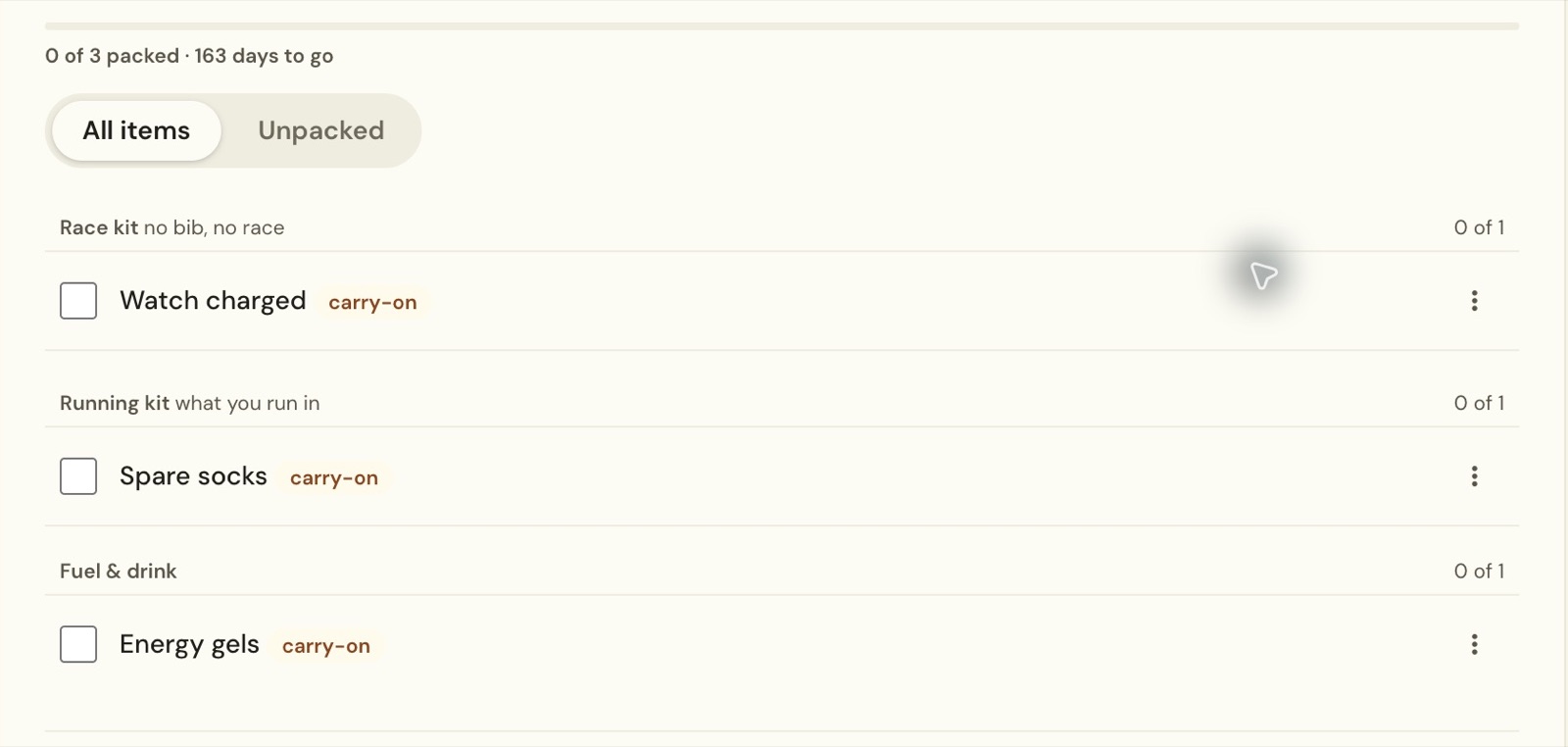
The new race starts with its own packing progress. Spare socks was ticked for Valencia, but appears unticked in Brighton, ready for that trip. Review the copied items against the new race and add anything else you need.
You can find your saved templates again under You → Races and trips → Packing templates. The Templates panel points there when you want to delete a saved template.
Still stuck? Email contact@intherunning.app and say which page you were on.